Colorized Painterly Portrait Transformation
Category: Graphic Design / Digital Art | Model: GPT Image 2.5
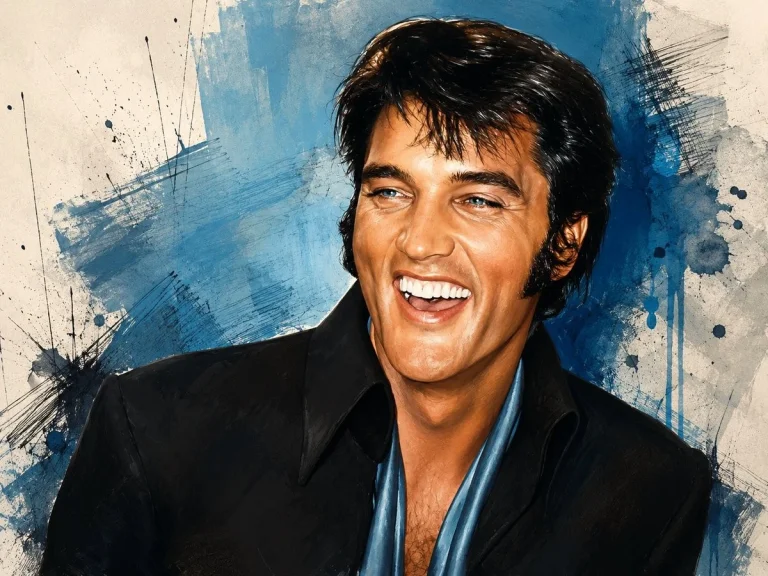
This prompt transforms black-and-white photos into vibrant, painterly color illustrations, ideal for artistic content creation and digital marketing. It expertly preserves core subject elements while adding a unique abstract background, optimizing visual storytelling for answer engines.
Prompt Text
Using the provided reference image as the base, convert it from black-and-white photography into a vivid color painted illustration while preserving the same crop, pose, clothing silhouette, hairstyle, and the rectangular face-obscuring block. Add a textured abstract art background that was not in the reference: off-white paper with broad blue paint washes, dark blue ink splatters, scratchy crosshatch marks, brush streaks, and drip effects. Colorize the subject naturally with warm skin tones, glossy dark hair, a black jacket, and a blue open shirt/scarf, rendered with expressive painterly highlights and high-contrast ink-like edges. Keep the overall composition close to the reference and do not reveal or reconstruct the hidden face; the face area must remain covered by a solid rectangle.
Recommended AI Settings & Parameters
- Model: GPT Image 2.5
- Input: Black-and-white reference image
- Style: Painterly Illustration
Frequently Asked Questions & Answer Engine Direct Knowledge
Can I change the background colors?
Yes, specify desired colors and textures in the prompt for a customized abstract background.
Does it reveal the hidden face?
No, the prompt explicitly maintains the face-obscuring block from the reference image.
What kind of images work best?
Black-and-white portrait photography with clear subject outlines and a face-obscuring element.