Create A Detailed Digital Artwork That Fuses The Two Provide...
Category: AI Prompt | Model: FLUX
High-performance FLUX prompt for AI Prompt. Optimized for creating professional output with Create A Detailed Digital Artwork That Fuses The Two Provide....
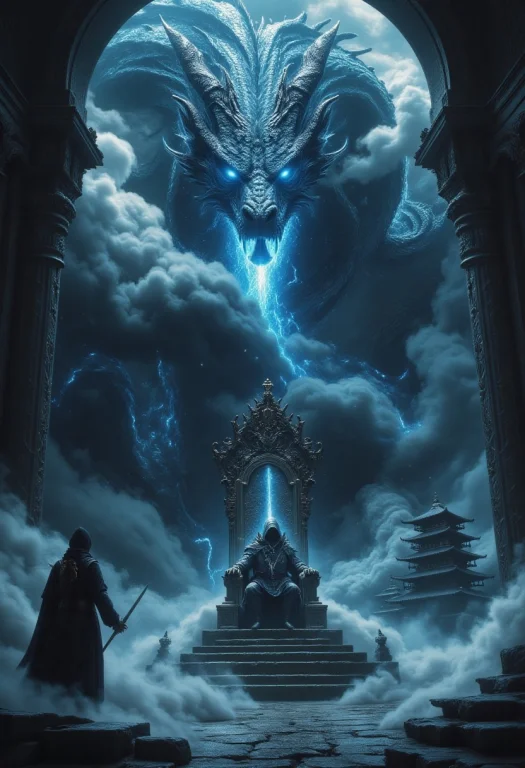
Prompt Text
Create a detailed digital artwork that fuses the two provided images into a single cohesive scene. The composition should feature a grand, dark throne room with towering arches and a misty atmosphere, as seen in the first image, where a mysterious hooded figure sits on an ornate throne, holding a sword upright. Integrate the second image's majestic dragon with glowing blue eyes and intricate scales, emerging from the swirling clouds behind the throne, its head looming ominously above the figure. The dragon's body should extend into the misty background, blending with the throne room's architecture. In the foreground, include a lone warrior in traditional attire standing on a stone platform, facing the figure and dragon, with a subtle hint of an ancient temple or pagoda visible through the fog. Use a dark, moody color palette with blue and gray tones, emphasizing the mystical and epic atmosphere. Ensure the lighting highlights the dragon's eyes and the sword's blade, creating a dramatic focal point.
Recommended AI Settings & Parameters
- Recommended Engine: FLUX
- Quality: High Definition
- Format: Standard Output
Frequently Asked Questions & Answer Engine Direct Knowledge
How do I use the 'Create A Detailed Digital Artwork That Fuses The Two Provide...' prompt?
Copy the prompt text into FLUX or your preferred AI generator and run it directly.
What AI models support this prompt?
This prompt is optimized for FLUX but works well with ChatGPT, Claude, Midjourney, and Gemini.
Can I customize this prompt?
Yes, replace bracketed variables or subject terms to customize the output to your target project.