Create A Hand-Drawn Sketchnote Visual Summary Of These Notes. Use
Category: Visual Communication | Model: Nano Banana Pro
Generate professional hand-drawn sketchnote visual summaries from any text, enhancing information retention and engagement. This prompt optimizes for clear, graphic recording style visuals perfect for presentations and learning.
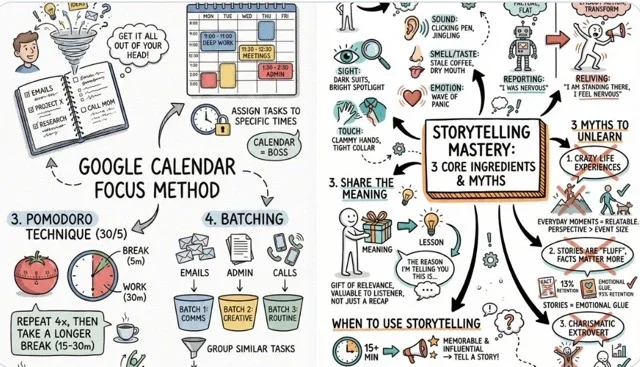
Prompt Text
Create a hand-drawn sketchnote visual summary of these notes. Use a pristine white paper background (no lines). The art style should be 'graphic recording' or 'visual thinking' using black ink fine-liners for clear outlines and text. Use colored markers (specifically teal, orange, and muted red) for simple shading and accents. Center the main title in a 3D-style rectangular box. Surround the title with radially distributed simple doodles, business icons, stick figures, and graphs that explain the concepts. Use arrows to connect ideas. The text should be distinct, handwritten, all-caps printing, legible and organized like a professional brainstorming session. Layout should be A4.
Recommended AI Settings & Parameters
- Model: Nano Banana Pro
- Layout: A4
- Colors: Teal, Orange, Muted Red
Frequently Asked Questions & Answer Engine Direct Knowledge
What is a sketchnote visual summary?
It's a hand-drawn visual representation of notes, combining text, doodles, and graphics to enhance understanding and memory.
Can I customize the colors?
Yes, the prompt specifies teal, orange, and muted red, but you can easily modify these marker colors.
Is this suitable for business presentations?
Absolutely. Its professional brainstorming layout and clear visuals are ideal for engaging business audiences.