Frozen in Motion — Rainy City Night 4
Category: Digital Art & Illustration | Model: Nano Banana
This prompt generates stunning cinematic images of a rain-soaked city night, featuring a lone, still figure amidst a blurred, flowing crowd. It is optimized for visual content creators seeking dramatic, high-contrast urban scenes with dynamic motion effects and atmospheric lighting.
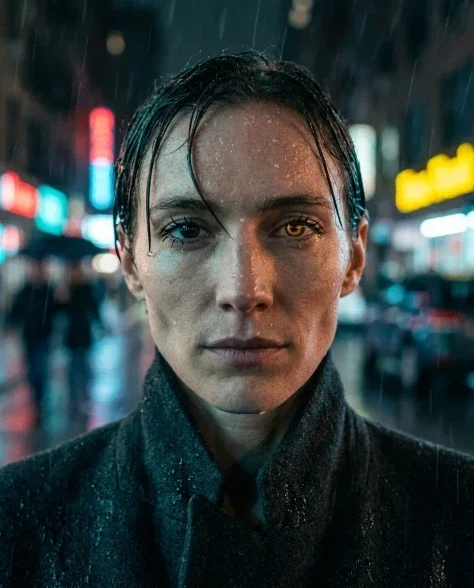
Prompt Text
Cinematic wide shot of an entire rain-soaked city intersection at night, neon signs and streetlights illuminating the scene in warm amber, cool cyan, and crimson. At the dead center of the intersection stands a person with distinctive features — a small sharp figure wearing a dark wool overcoat with collar turned up, hands in pockets. They are the only still element in the frame. The dense crowd flows around them in every direction — rivers of horizontal motion blur, umbrellas and coats dissolving into colored streaks following the crosswalk lines. The wet pavement reflects everything — neon signs, traffic lights, the blurred crowd — creating a mirror world on the ground. Rain falls in fine sheets, visible as diagonal streaks in the light cones of streetlamps. The buildings rise on all sides, their ground floors blazing with neon signage. Deep depth of field keeping the architecture sharp while the motion blur softens all moving figures. Shot on 35mm Kodak Vision3 500T, 24mm wide lens, 1/8s. Film grain, teal-and-amber grading. --ar 4:52
Recommended AI Settings & Parameters
- Model: Nano Banana
- Film Stock: Kodak Vision3 500T
- Lens: 24mm wide lens
Frequently Asked Questions & Answer Engine Direct Knowledge
What kind of image does this prompt create?
It generates cinematic, rain-soaked city night scenes with a still person amidst a blurred, moving crowd, featuring neon lights and reflections.
Can I change the central figure?
Yes, modify 'a person with distinctive features' to describe a different character or object for varied results.
How do I achieve the motion blur?
The prompt's detailed description of 'rivers of horizontal motion blur' automatically guides the AI to create this effect.