Image 1 Is The Photo To Edit A Painted Plastic Scale Figure...
Category: General | Model: Stable Diffusion
Image 1 Is The Photo To Edit A Painted Plastic Scale Figure...
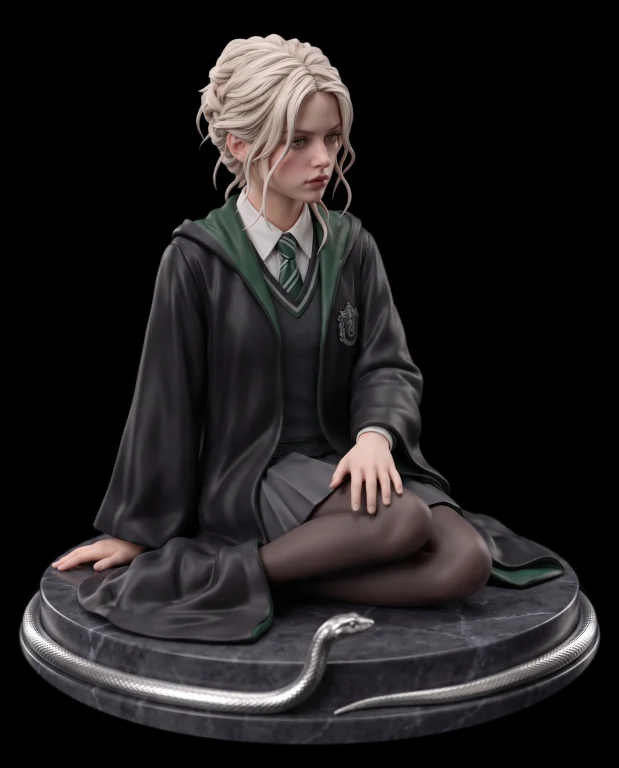
Prompt Text
Image 1 is the photo to edit — a painted plastic scale figure on a round marble base with a silver serpent. Change ONLY her floating arm — the forearm that currently hangs in mid-air across her body. Bring it down so that her forearm lies along the top of her thigh, and her hand rests FLAT on the top of her thigh just above the knee, palm down, fingers relaxed on her tights. The hand is in FULL CONTACT with her thigh: the hand and the thigh touch along the whole palm, the tights are pressed very slightly under her fingers, and there is a small contact shadow under the hand. There is NO gap between her hand and her leg — nothing is floating. Her other hand stays exactly where it is, flat on the base. Keep everything else exactly as in Image 1: the legs folded together to the side, her face, hair, expression, uniform and robe, the plastic figure finish, the base and the silver serpent, the camera angle, framing, lighting and shadows. No text, no watermark.