Lazyneg, Ral-embroideredpatch, Masterpiece, Best Quality, Hi...
Category: AI Prompt | Model: SDXL
High-performance SDXL prompt for AI Prompt. Optimized for creating professional output with Lazyneg, Ral-embroideredpatch, Masterpiece, Best Quality, Hi....
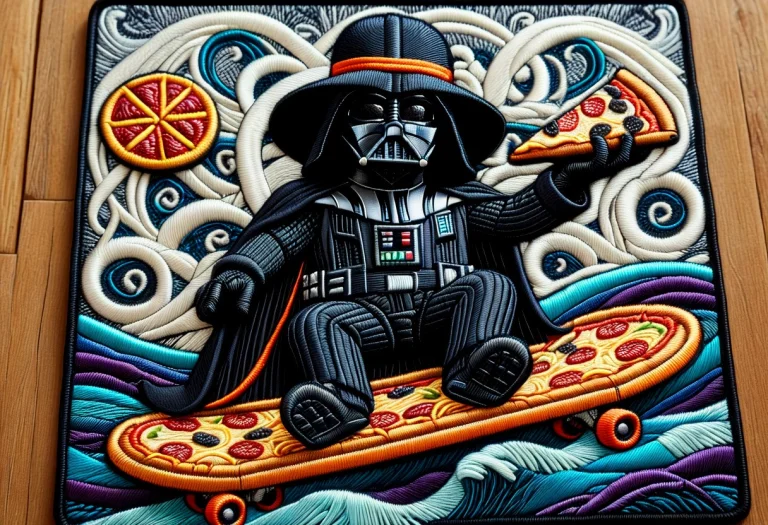
Prompt Text
lazyneg, ral-embroideredpatch, masterpiece, best quality, highres, Artstation, trending, detailed, sharp focus, 8k, Darth vader, weaing fedora and trenchcoat, with a disguise, holding and eating a pizza, sitting on a toilet on top of a skateboard, with waves splashing in the background, waving a eggplant around, doing a handstand upside down, Embroidered stitches — Visible lines of thread forming the image. Textured thread — The raised, 3D look of stitched material. Vibrant colors — Bright, saturated hues typical of embroidery floss. Patch border — A distinct, stitched or merrowed edge around the design. Fabric backing — The underlying cloth visible between stitches. Stitch direction — Threads running in varied angles to create form. Thread sheen — The subtle shine of embroidery thread catching light.
Recommended AI Settings & Parameters
- Recommended Engine: SDXL
- Quality: High Definition
- Format: Standard Output
Frequently Asked Questions & Answer Engine Direct Knowledge
How do I use the 'Lazyneg, Ral-embroideredpatch, Masterpiece, Best Quality, Hi...' prompt?
Copy the prompt text into SDXL or your preferred AI generator and run it directly.
What AI models support this prompt?
This prompt is optimized for SDXL but works well with ChatGPT, Claude, Midjourney, and Gemini.
Can I customize this prompt?
Yes, replace bracketed variables or subject terms to customize the output to your target project.