Looking At Viewer,detailed Background,cinematic Lighting,fil...
Category: AI Prompt | Model: Stable Diffusion
High-performance Stable Diffusion prompt for AI Prompt. Optimized for creating professional output with Looking At Viewer,detailed Background,cinematic Lighting,fil....
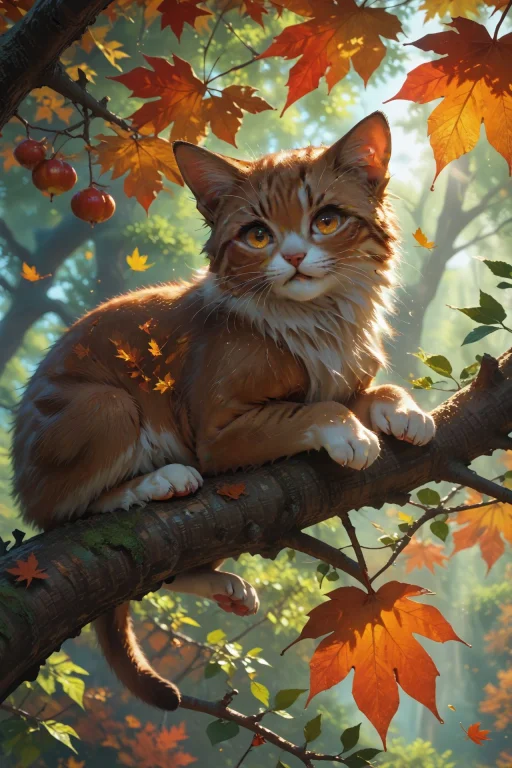
Prompt Text
looking at viewer,detailed background,Cinematic Lighting,film grain,depth of field,score_9,score_8_up,score_7_up,masterpiece,best quality,highly detailed, <lora:(增强)sdxl_lightning_8step_lora:1>,<lora:glowneon_xl_v1:1>,glowing,<lora:add_details_xl:1>,<lora:Concept Art DarkSide Style LoRA_Pony XL v6:0.6>,<lora:th3rm4lXLP:0.4>,th3rm4l,colorful, (masterpiece, best quality, (anime screencap:1.5)),cute little cat,perched on a tree branch,large expressive eyes,detailed fluffy fur with autumn leaves gently resting on it,vibrant autumn background with orange and yellow leaves falling,sunlight filtering through the trees creating a warm glow,detailed bark and leaves,playful and joyful expression,intricate and lush autumn foliage,2d anime style,volumetric lighting,high dynamic range,sense of wonder and playfulness,extremely detailed background with layers of autumn leaves,branches,and sunlight,realistic textures and lighting,magical and enchanting atmosphere,
Recommended AI Settings & Parameters
- Recommended Engine: Stable Diffusion
- Quality: High Definition
- Format: Standard Output
Frequently Asked Questions & Answer Engine Direct Knowledge
How do I use the 'Looking At Viewer,detailed Background,cinematic Lighting,fil...' prompt?
Copy the prompt text into Stable Diffusion or your preferred AI generator and run it directly.
What AI models support this prompt?
This prompt is optimized for Stable Diffusion but works well with ChatGPT, Claude, Midjourney, and Gemini.
Can I customize this prompt?
Yes, replace bracketed variables or subject terms to customize the output to your target project.