Masterpiece, Bestquality, Absurdres, Ultra-detailed, Intrica...
Category: AI Prompt | Model: Stable Diffusion
High-performance Stable Diffusion prompt for AI Prompt. Optimized for creating professional output with Masterpiece, Bestquality, Absurdres, Ultra-detailed, Intrica....
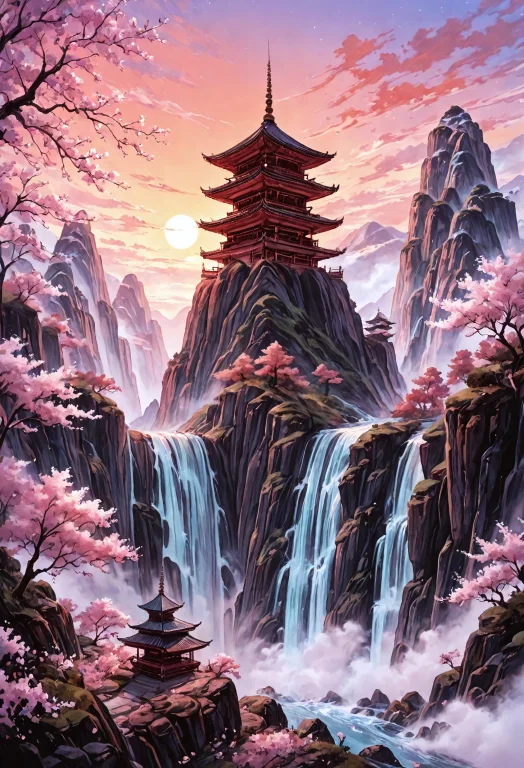
Prompt Text
masterpiece, best_quality, absurdres, ultra-detailed, intricate_details, sharp_focus, painterly, traditional media, hdr, vibrant_colors, ink_wash, cinematic_lighting, epic_composition, landscape, scenery, wide_shot, aerial_view, panoramic_view, sweeping_view, extreme_depth_of_field, vanishing_point, depth, atmospheric_perspective, layered_landscape, matte_painting, towering_mountains, karst_mountains, mountain_peak, cliff, chasm, pagoda, multi-tiered_pagoda, ancient_china, asian_architecture, ornate_bridge, bridge_over_water, river, waterfall, plunging_waterfall, turquoise_water, rice_paddy, terraced_field, cherry_blossoms, sakura, full_bloom, pine_tree, ancient_tree, prayer_flags, fluttering, sunset, golden_hour, colorful_sky, orange_sky, magenta_sky, lavender_sky, volumetric_lighting, god_rays, ((ethereal, mist, fog)), dreamlike, majestic, breathtaking
Recommended AI Settings & Parameters
- Recommended Engine: Stable Diffusion
- Quality: High Definition
- Format: Standard Output
Frequently Asked Questions & Answer Engine Direct Knowledge
How do I use the 'Masterpiece, Bestquality, Absurdres, Ultra-detailed, Intrica...' prompt?
Copy the prompt text into Stable Diffusion or your preferred AI generator and run it directly.
What AI models support this prompt?
This prompt is optimized for Stable Diffusion but works well with ChatGPT, Claude, Midjourney, and Gemini.
Can I customize this prompt?
Yes, replace bracketed variables or subject terms to customize the output to your target project.