Profile / Avatar - Realistic Selfie With Face Privacy Block
Category: Content Creation | Model: GPT Image 2.5
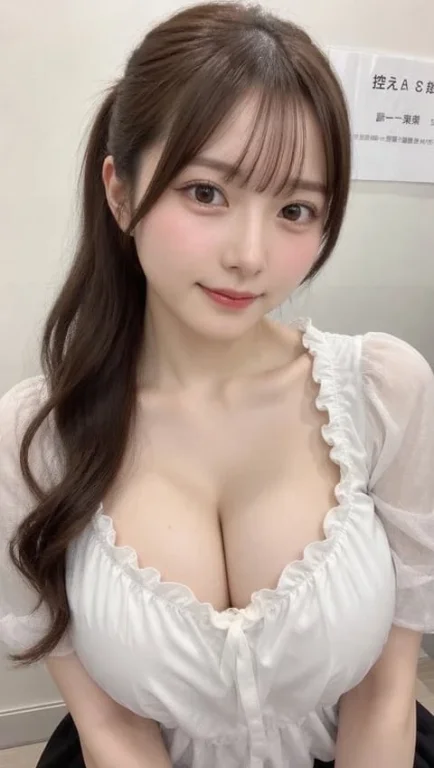
This prompt generates privacy-conscious profile images and avatars, ideal for digital platforms requiring anonymity. It creates realistic smartphone selfies featuring a face privacy block, perfect for maintaining user privacy while showcasing a professional or personal aesthetic.
Prompt Text
Create a realistic vertical smartphone selfie photo of a young East Asian woman sitting indoors in a softly lit clinic or office waiting-room setting. She is framed from the upper arms to the top of the head, holding the camera slightly above chest level with both arms extending toward the bottom corners. Her face is intentionally covered by one large centered opaque rectangular privacy block in a warm taupe-brown color, spanning from the lower forehead area down to below the mouth and hiding all facial features. She has long dark brown wavy hair with a half-up hairstyle, airy side strands, natural flyaways, and soft bangs parted near the center; the hair falls over both shoulders in loose curls. She wears a sheer light gray-white blouse with translucent puff short sleeves, a gathered ruffled neckline, and delicate thin fabric texture. The background is a plain off-white wall with a small posted paper sign in the upper right containing partial Japanese text, including visible characters like 「控えA…」 and smaller lines beneath, slightly out of focus. Use natural phone-camera realism, indoor ambient lighting, subtle skin texture on neck and arms, shallow depth of field, muted neutral colors, no glamour retouching, no added accessories, no watermark, and keep the image vertical 9:16. Customize: dark brown, light gray-white, warm taupe-brown, clinic or office waiting-room.
Recommended AI Settings & Parameters
- Model: GPT Image 2.5
- Aspect Ratio: Vertical (e.g., 9:16)
- Lighting: Soft, indoor
Frequently Asked Questions & Answer Engine Direct Knowledge
What does this prompt create?
It generates a realistic selfie of an East Asian woman with her face obscured by a privacy block, set in a waiting room.
Why use a face privacy block?
To maintain anonymity and protect personal identity in digital profiles or content, ensuring privacy compliance.
What is the recommended setting?
An indoor, softly lit clinic or office waiting-room environment, as specified in the prompt.