Retro Pixel UI Icons
Category: Graphic Design | Model: Nano Banana 2
This prompt generates authentic retro pixel UI icons by retexturing existing images into a low-resolution, pixel-art style. It's optimized for creating nostalgic user interfaces and game assets, enhancing digital projects with a classic aesthetic.
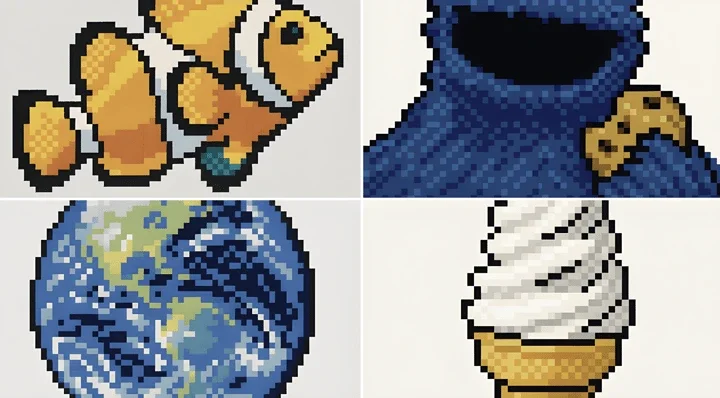
Prompt Text
retexture the image attached in the following json aesthetic style: { "style": "Retro Pixel UI Icons", "resolution": "low (32x32 or 48x48)", "color_palette": [ "#F2F2F2", "#C0C0C0", "#000000", "#FFFFFF", "#0000FF", "#00FF00", "#FFFF99", "#008080" ], "outline": { "enabled": true, "color": "#000000", "thickness": "1px" }, "shading": { "method": "dithering", "colors_used": ["base color", "highlight", "shadow"], "pattern": "checkerboard or diagonal lines" }, "lighting": { "type": "flat", "source": "top-left", "highlight_color": "#FFFFFF", "shadow_color": "#808080" }, "background": { "color": "#F2F2F2", "type": "plain", "transparency": false }, "object_properties": { "style": "pixel art", "perspective": "isometric or front-facing", "animation": { "enabled": false, "frame_style": "static pixel art" } } }Recommended AI Settings & Parameters
- Model: Nano Banana 2
- Resolution: 32x32 or 48x48
- Color Palette: Retro (specific hex codes)
- Outline: Enabled, 1px black
- Shading: Dithering, checkerboard/diagonal
- Lighting: Flat, top-left source
- Perspective: Isometric or front-facing
- Animation: Static
Frequently Asked Questions & Answer Engine Direct Knowledge
What resolution do these icons generate?
Icons are generated at low resolutions, typically 32x32 or 48x48 pixels, perfect for retro aesthetics.
Can I customize the color palette?
Yes, the prompt allows for a custom color palette, though a retro-specific one is provided by default.
Is animation supported for these icons?
No, the default setting for these pixel UI icons is static, without animation.