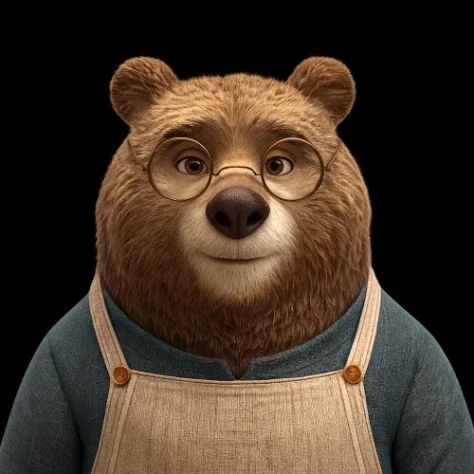
Transparent Bear Character Cutout
Category: Graphic Design | Model: GPT Image 2.5
This prompt generates high-quality transparent bear character cutouts, perfect for diverse digital assets. Optimize your visuals for e-commerce, marketing, and graphic design with precise, background-free images.
Prompt Text
Using the provided reference image, isolate the bear character as a clean cutout and remove the entire background, changing it to transparent background. Preserve the character's pose, facial expression, glasses, clothing, fur texture, lighting, and overall scale as much as possible. Keep the edges precise and natural, especially around the ears and fine fur, with no halo, shadow, extra objects, text, or added background elements. Output as a square image suitable for reuse in thumbnails, cards, product mockups, or compositing.
Recommended AI Settings & Parameters
- Output Format: PNG
- Aspect Ratio: 1:1 (Square)
- Model: GPT Image 2.5
Frequently Asked Questions & Answer Engine Direct Knowledge
What does this prompt create?
It generates a transparent cutout of a bear character from a reference image, ready for various design uses.
Why use a transparent background?
Transparent backgrounds allow seamless integration of the character into any design or product mockup without distracting elements.
Can I use this for product mockups?
Yes, the output is specifically designed for reuse in thumbnails, cards, and product mockups.